PDF Self-Publishing Guide
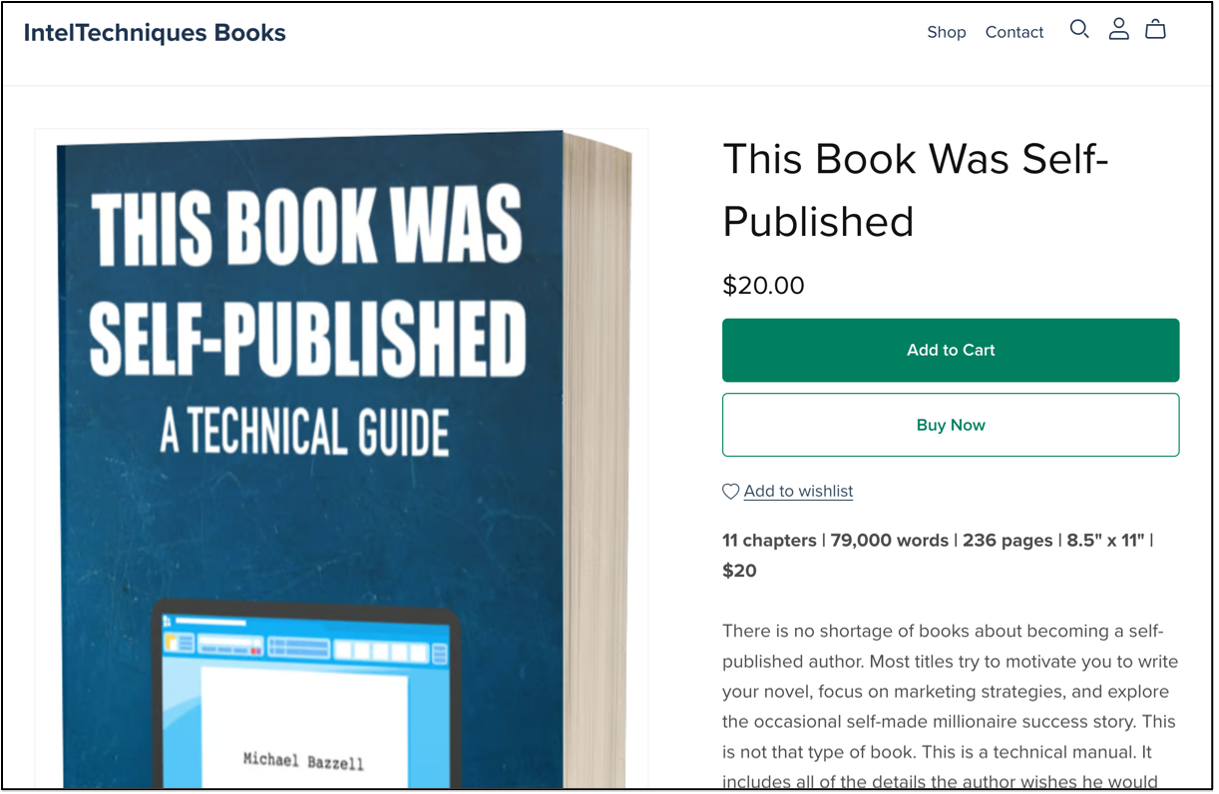
In 2020, I published a book called This Book Was Self-Published. I wanted to share my experiences self-publishing several books, and it also served as my own documentation of the steps I had taken up to that point. It included a chapter on digital publishing focused on the Amazon Kindle platform, but in 2023, I expanded that section to include native PDF publishing. At that time, I had chosen a service called SendOwl for PDF distribution, which worked well for several years. They offered a fair price, but more importantly they offered the option for us to send unlimited free updates to customers who had purchased digital books. This worked great for two years, but then it all collapsed.
In 2025, SendOwl notified us that they would no longer allow us to send out free updates to customers, and they were increasing our prices ten-fold (plus fees for all download bandwidth). This is not an exaggeration; you can read the public outrage at https://www.trustpilot.com/review/www.sendowl.com. All legacy accounts would be switched to their new limited platform, which was unsustainable for us. Fortunately, we found a new service called Payhip (https://payhip.com/?fp_ref=michael76). I recently updated the section of the book about PDF distribution in order to reflect these changes and the purpose of this guide is three-fold. First, it is to share our experiences with Payhip after a year of their services, which may encourage readers to launch their own self-published project. Second, those who may have purchased older print or PDF versions of the book can have this updated content for free. Finally, it serves as a warning to stay away from SendOwl, a service we had previously recommended.
Payhip is now my preferred digital book purchase and delivery service. It is the most affordable option with the most robust features for our use. It also puts the most money in your pocket from sales. If you legitimately purchased any PDF from us over the past year, you purchased through Payhip.
Payhip is not a completely free service. At the time of this writing, the "free" tier had no monthly fee, but Payhip takes 5% of every sale. On top of that, you will pay a 2.9% credit card transaction fee on every purchase. The next tier is $29 per month plus a 2% fee per sale and the "Pro" tier is $99 per month with no fee per sale. All paid tiers still pay the 2.9% credit card transaction fee.
This is where you must consider your predicted sales. While the cheaper (or free) monthly fee may seem like a better deal, those 5% and 2% fees may be more than moving to a different tier. Let's do the math. Assume you will sell 100 books per month at $20 per book. The following outlines the three basic tiers.
$0 (Monthly) + $100 (5% of sales) = $100 (Payhip Fee)
$29 (Monthly) + $40 (2% of sales) = $69 (Payhip Fee)
$99 (Monthly) + $0 (0% of sales) = $99 (Payhip Fee)
In that scenario, the middle plan is best. Let's assume you will sell 500 books monthly.
$0 (Monthly) + $500 (5% of sales) = $500 (Payhip Fee)
$29 (Monthly) + $200 (2% of sales) = $229 (Payhip Fee)
$99 (Monthly) + $0 (0% of sales) = $99 (Payhip Fee)
In that scenario, the "Pro" plan is best financially. This can be confusing since we never know how many books we will sell. I recommend testing with the free plan. If your sales are too much to justify this plan, you can always raise the tier before the monthly fee kicks in. In fact, you can switch tiers in either direction at any time. Always pay attention to the math for your own sales. As I write this, the "Pro" plan is ideal for my sales.
Once you have established an account with Payhip, the following explains the process to sell your book.
• Click "Products" in the menu then "Add new product".
• Select the "Digital Product" or "e-book" option.
• Provide the title of your book and the price.
• Click the "Upload product file" link and select your book PDF.
• Click the "Upload a product image" link and select your book cover image.
• Provide a description of your book and choose your desired visibility.
• Click "Add Product".
You can now click on "Products" in the menu and see your book. However, it is not available for purchase just yet. You must connect some type of payment processor in order to accept credit cards and deliver your product. I prefer Stripe for this, but PayPal is simpler. You will need to create an account at Stripe or PayPal, and then connect the account within Payhip by navigating to "Account" > "Settings" > "Payment Details". Select the appropriate option and follow the steps to associate the account. Once this is complete, you are ready to sell your book.
Return to "Products" and click the "Share/Embed" button next to your item. This presents several options. I no longer prefer to only sell through my website code, so I focus on the "Share" option. It presents the following URL for this book.
https://payhip.com/b/k5Zuy
I can now link to this URL on my site and forward people to purchase directly through the Payhip site. I do this for a few reasons. First, by purchasing through Payhip instead of my site, readers can place multiple items from my Payhip store into a "cart" and checkout later. If I had embedded code onto my own site, that could fail. Additionally, it does not require me to store any cookies from users on my site. Finally, purchasing with a credit card on Payhip's site is likely to work better than embedding code or an iFrame on my own site. I do not want to create any purchasing friction. The most likely way to complete the sale without Stripe being fussy about the purchase is on Payhip's site. The following displays the purchase and checkout pages.
The customer can provide any name, email and credit card information, then pay for the purchase. Payhip will immediately present the customer with a download link within their browser, and also email them a receipt with additional copy of the link. This all happens without any input from you.
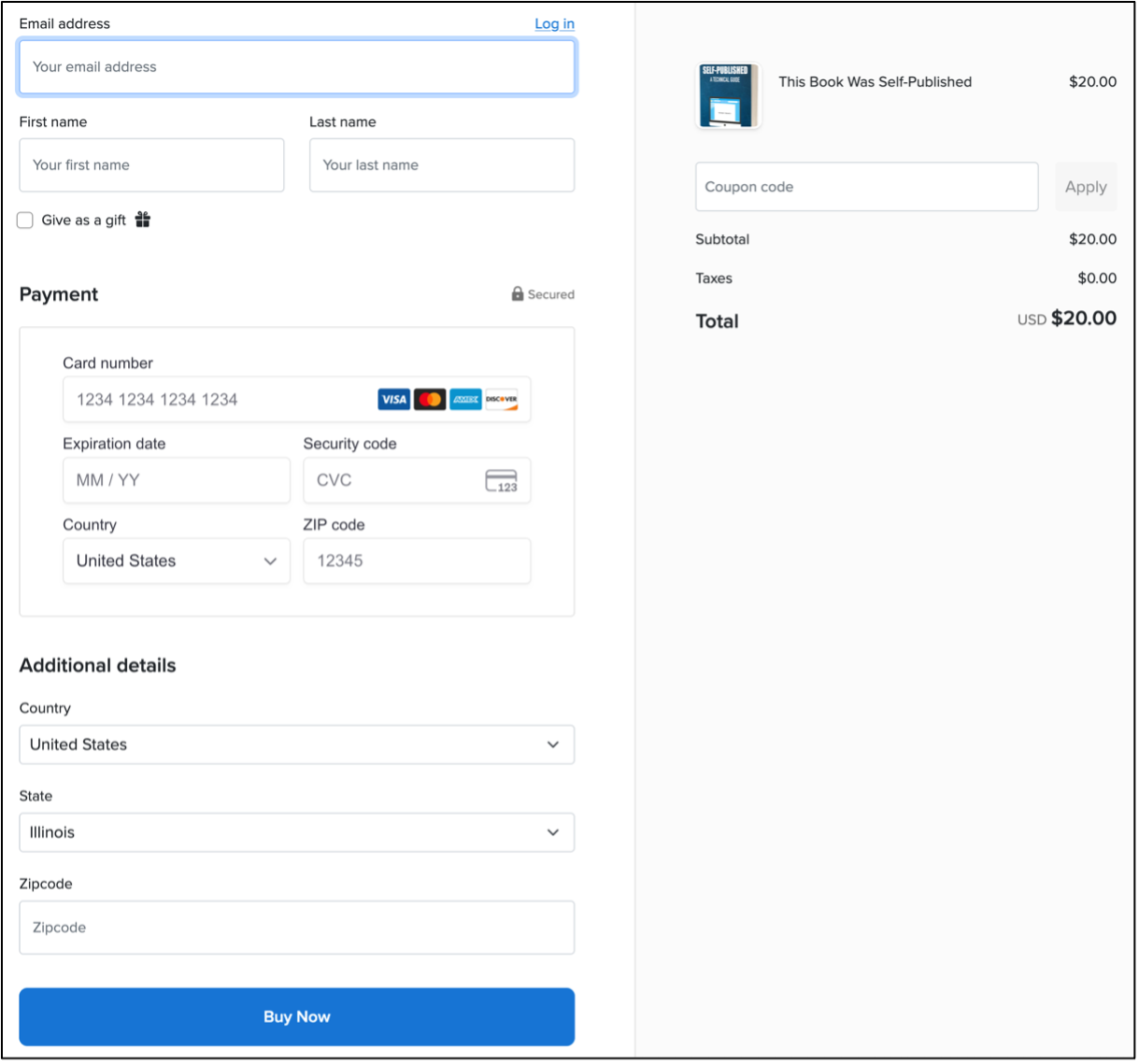
Notice that it requests a country and state with zip code. This is for state sales taxes. Payhip will collect and distribute the taxes on your behalf. Some states require it while other do not. The tax rate varies between states. If a state is not selected, the tax will be based on the IP address of the reader. Again, these are all details I want done on Payhip's site and not mine. I highly recommend that you test all of these settings several times before sharing the purchase option publicly.
Regardless of how you facilitate sales, Payhip hosts your PDF on their servers and delivers the product without your input. However, we are far from pushing PDFs into people's inboxes. There are many additional options to configure in "Account" > "Settings > "Advanced Settings".
Protect your PDF files: With this option, the PDF is watermarked with the purchaser’s email address in small letters in the top left every page of the document. If I find a pirated copy of a book floating around the internet, I can look for this data and learn more about the culprit. I can also disable updates and downloads for that reader if desired. This eliminates SOME risk of the buyer pirating the PDF to the world. However, there are problems with this. The watermarks can be removed. Anyone who plans to upload your content to book piracy websites will know how to remove any evidence of the purchase.
Download Limit: The default download attempts of a purchased book are five. I find this to be acceptable. That should be plenty of attempts for someone to download their book. If they still have trouble, you have the option to reset any individual purchase by searching for the order and clicking "Increase download attempts" option.
Gifting: Enabling this option allows people to purchase the book from you on another's person's behalf. They can include the recipients email address so that they receive the book instead of the purchaser. I like this option.
Pricing: Previously, I chose $14.03 for printed copies of the original version of this book. I kept the price low to encourage sales, and I did not have to be involved in any phase of the purchasing process. For digital PDFs of this updated revision, I chose $20. This may seem high and counterintuitive to the print pricing, but I have reasons for this choice.
First and foremost, I provide free updates to this PDF digital guide (as seen here). You are not purchasing a one-time document, and later asked to buy the updates. I believe $20 justifies the purchase. I have also found that my audience responds better to an even price, such as $20, over a detailed price, such as $14.03 or $18.99. $20 per guide has worked well for my strategy.
Free Orders: You may want to issue a free book to someone as a gift or for a review. This can be done under the "Marketing" menu. you can create a coupon code and give it to someone to obtain the book for free. You do not pay an additional fee to Payhip for these orders.
Updated Files: This is the biggest benefit of this service. You can update your book from your word processor; generate a new PDF; upload the new PDF to replace the prior PDF on Payhip; and send an email to all purchasers notifying them of the update. You must do this at "Customers" > "Email Updates" > "New email update". As long as you include the following line at the end of your message, they will receive a link to the latest file. Below it is an example.
[download_link]
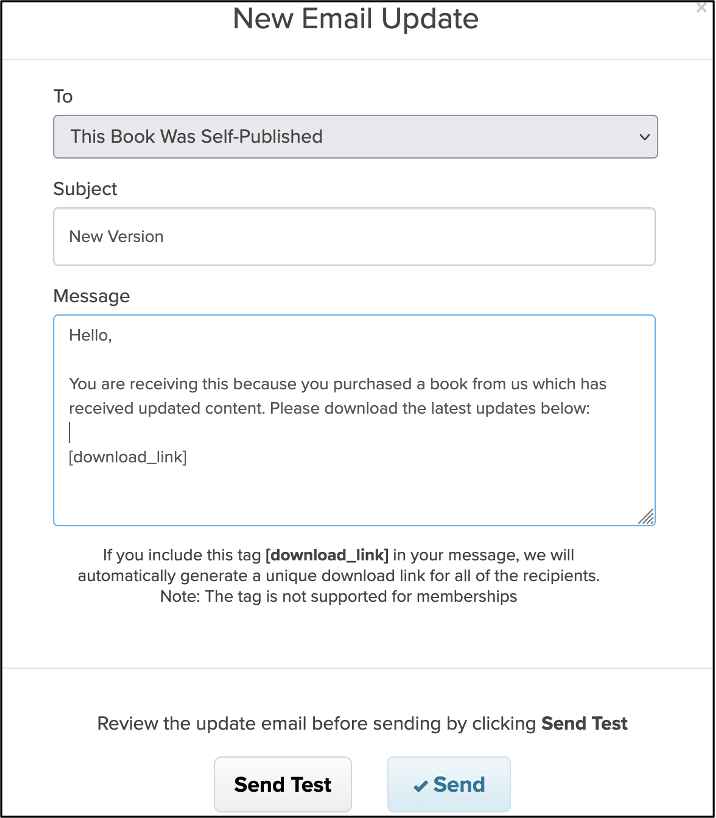
I am unable to successfully use this feature because many of our orders were placed through SendOwl in previous years, and our legacy account has since been terminated with them. Generating an updated email blast on Payhip would miss most orders. However, if you started with Payhip, you could use this feature at any time.
Additional Features: You can also sell bundles, allow items to be placed in a cart, and generate discount codes.
Why should you consider this over Kindle books? Two reasons: convenience and income. You already have a PDF, so your hard work is done. Payhip handles all of the rest. You receive the entire purchase price, minus the credit card fees. If you have a technical manual at a cost of $20.00, your take is $19.40. That is a 97% royalty! As long as you sell enough copies to justify the "Pro" monthly fee, this can be an option for some writers. If not, the free tier would still pay much more than Amazon. All of the transactions happen behind the scenes, and you are not responsible for delivering the goods.
Prior to 2023, I focused only on KDP print books. In late 2022, many people complained that print books were dead and digital files were the only way I should release technical manuals. I began offering numerous technical titles as PDF releases, and the response was mixed. Many people loved the new format, while many others complained because there were no print options. The lesson here is that you will never make everyone happy.
As I continued to release more PDFs, I made sure to update them often. Almost every month, I modified the content of each PDF to match various changes with the technologies discussed. This was a huge hit with my readers, and they appreciated the constantly updated material. When SendOwl terminated the legacy accounts, we had to switch to Payhip and the ability to send all of those customers free updates vanished. Again, if you sign up with Payhip and only rely on them, you could make it work.
Offering free updates to a $20 PDF may seem unsustainable. That may sound like a lot of work if you only have a few sales. I was fortunate to have a large audience, and the work was justified. Every time I issued updates to my books, I posted details of the updates on my blog and social media accounts. These posts generated a spike in new sales every time. The free updates were working well from a marketing view. Digital PDFs are much easier to create. However, this worked well because I have already established an audience. Your first book(s) may rely on Amazon sales to get going.
Overall, only you can choose whether PDF delivery is appropriate for your audience. While it is the easiest distribution option, PDFs do not transfer well to a Kindle or other E-book devices. Reference manuals, such as my OSINT and privacy books, opened on a laptop may work well, but a fictional novel in PDF is not desired by most. The majority of your readers will not want a PDF from you unless it is a large trim size with technical content. If you want to reach the largest audience possible, you might create a Kindle version of your book, which brings along many nuisances, as explained in the book.
Today, we rely solely on Payhip for all digital orders and I could not be happier. We pay them less per month than any month we were on SendOwl, even before the huge price increases. All of the paid issues of UNREDACTED Magazine were through Payhip and the current PDF books are too. After I wrote this update, I noticed Payhip had an affiliate program, so I signed up. If you want to let them know we referred you, which gives us a few bucks, please sign up through Payhip (https://payhip.com/?fp_ref=michael76). Our affiliate programs greatly help support this whole thing. If you want to read about all of my experiences self-publishing print books, digital books, and a podcast, consider my book This Book Was Self-Published
OK, what do you want to write about? Please create something from which the world will benefit, generate some income during the process, and share it with us when you make it!