2026 macOS Settings Guide
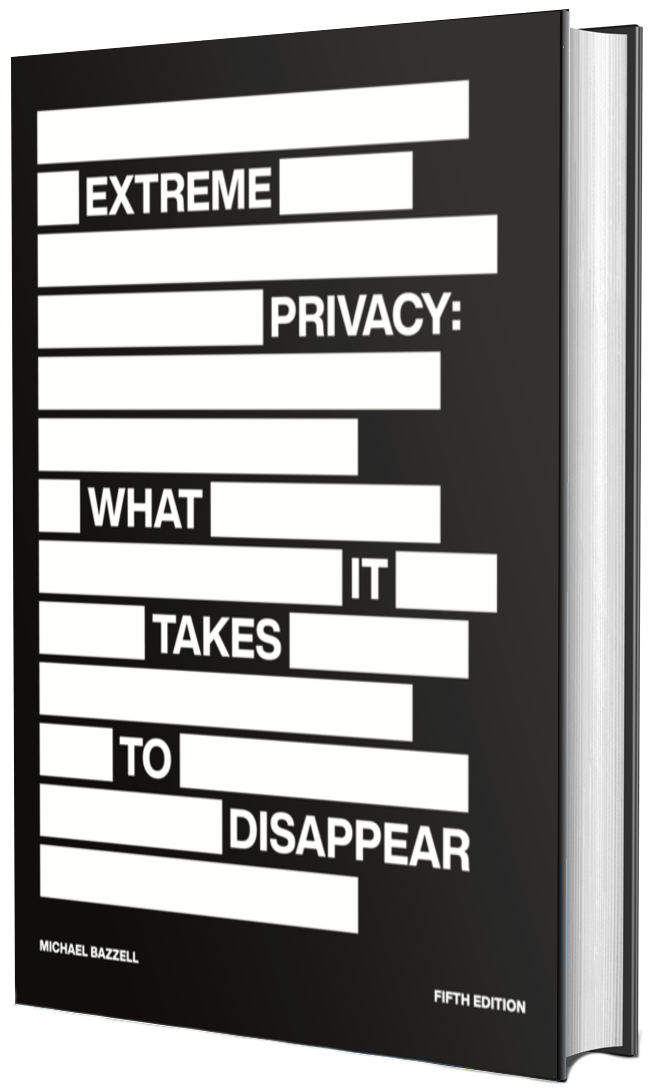
In Extreme Privacy, 5th Edition, I offered many privacy and security considerations for macOS. That content is pushing two years old now, so I am probably overdue for an update. This article revisits that entire section for the recent changes within macOS 26.
The following assumes you are on macOS 26.1, which was the latest version at the time of writing. Now that we have let Apple offer the first major update to that OS, the menu settings should be fairly locked in. I always prefer to wait for a ".1" update before documenting specific menu settings. This guide also assumes you have already purchased and booted the device, skipping the request for an Apple ID, and configuring things such as Wi-Fi, application firewall, Spotlight, Gatekeeper, FileVault, and any personal customizations as explained in the book. Consider this a supplement to that information.
The purpose of this article is to revisit all of the System Settings for optimal macOS privacy and security. Major updates are known to re-enable undesired settings, so this is a good time to check everything. While everything here will work if you logged in to an Apple account, some menus may appear differently. The following was conducted within System Settings from the Applications menu.
- Settings > Wi-Fi > Ask to join networks > Off
- Settings > Wi-Fi > Ask to join hotspots > Never
- Settings > Bluetooth > Disabled (if not used)
- Settings > Network > Firewall > Enabled
- Settings > Network > Firewall > Options > Automatically allow built-in... > Disabled
- Settings > Network > Firewall > Options > Automatically allow downloaded... > Disabled
- Settings > Network > Firewall > Options > Stealth mode > Enabled
- Settings > Battery > Options > Wake for network access > Never
- Settings > General > Automatic Updates > i > Disable All
- Settings > General > AirDrop & Handoff > Allow Handoff > Disabled
- Settings > General > AirDrop & Handoff > AirDrop > No One
- Settings > General > AirDrop & Handoff > AirPlay Receiver > Disabled
- Settings > General > AirDrop & Handoff > Allow Airplay for > Current User
- Settings > General > AirDrop & Handoff > Require password > Enabled
- Settings > General > AutoFill & Passwords > All Your Password... > (Close "x")
- Settings > General > AutoFill & Passwords > AutoFill Passwords and Passkeys > Disabled
- Settings > General > Date & Time > Source > Set > pool.ntp.org > Set
- Settings > General > Date & Time > Set time zone automatically... > Disabled
- Settings > General > Date & Time > Time zone > Desired location
- Settings > General > Date & Time > Closest City > Desired location
- Settings > General > Login Items & Extensions > Remove or disable those desired
- Settings > General > Sharing > Disable all
- Settings > Accessibility > Siri > Type to Siri > Disabled
- Settings > Accessibility > Siri > Listen for atypical speech > Disabled
- Settings > Apple Intelligence & Siri > Apple Intelligence > Disabled
- Settings > Apple Intelligence & Siri > Siri > Disabled
- Settings > Apple Intelligence & Siri > Siri History > Delete Siri & Dictation History > Delete
- Settings > Apple Intelligence & Siri > Siri Suggestions & Privacy > Disable all
- Settings > Desktop & Dock > Show suggested and recent apps in Dock > Disabled
- Settings > Desktop & Dock > Show recent apps in Stage Manager > Disabled
- Settings > Desktop & Dock > Automatically rearrange Spaces... > Disabled
- Settings > Spotlight > Show Related Content > Disabled
- Settings > Spotlight > Spotlight Search History > Delete Search History
- Settings > Spotlight > Help Apple Improve Search > Disabled
- Settings > Spotlight > Results from Apps > Disable all
- Settings > Spotlight > Results from System > Disable all
- Settings > Spotlight > Results from Clipboard > Disabled
- Settings > Notifications > Show previews > Never
- Settings > Notifications > Allow notifications when the device is sleeping > Disabled
- Settings > Notifications > Allow notifications when the screen is locked > Disabled
- Settings > Notifications > Allow notifications when mirroring or sharing the display > Disabled
- Settings > Notifications > Application Notifications > Disable undesired
- Settings > Sound > Alert volume > Minimum
- Settings > Sound > Play sound on startup > Disabled
- Settings > Sound > Play user interface sound effects > Disabled
- Settings > Sound > Play feedback when volume is changed > Disabled
- Settings > Focus > Share across devices > Disabled
- Settings > Focus > Focus status > Off
- Settings > Lock Screen > Turn display off on battery when inactive > For 1 hour
- Settings > Lock Screen > Turn display off on power adapter when inactive > For 1 hour
- Settings > Lock Screen > Require password after... > Immediately
- Settings > Lock Screen > Show password hints > Disabled
- Settings > Lock Screen > Show message when locked > Disabled
- Settings > Privacy & Security > Location Services > Off
- Settings > Privacy & Security > Confirm app access
- Settings > Privacy & Security > Sensitive Content Warning > Off
- Settings > Privacy & Security > Analytics & Improvements > Disable all
- Settings > Privacy & Security > Apple Advertising > Personalized Ads > Disabled
- Settings > Privacy & Security > Apple Intelligence Report > Off
- Settings > Privacy & Security > FileVault > Enabled
- Settings > Privacy & Security > Accessories > Always ask
- Settings > Privacy & Security > Background Security Improvements > Enabled (if desired)
- Settings > Touch ID & Password > Use Touch ID for Apple Pay > Disabled
- Settings > Touch ID & Password > Use Touch ID for purchases... > Disabled
- Settings > Touch ID & Password > Use Touch ID for autofilling passwords > Disabled
- Settings > Internet Accounts > None
- Settings > Game Center > Disabled
- Settings > iCloud > None
- Settings > Wallet & Apple Pay > Autofill Cards > 0
- Settings > Wallet & Apple Pay > Shipping Address > None
- Settings > Wallet & Apple Pay > Email > None
- Settings > Wallet & Apple Pay > Phone > None
- Settings > Wallet & Apple Pay > Add Orders to Wallet > Disabled